Canaan Avalon Nano 3s in Home Assistant
The Avalon Nano 3s is a compact, low-power bitcoin miner designed for desktop or small space heating, producing ~500 BTU/hr.
Before You Start
Two steps before adding this miner to Home Assistant:
-
Set up your miner with the Avalon Home App - Configure WiFi and get your miner’s IP address. Download from Canaan.
-
Install the Exergy Canaan integration - Follow the Canaan Avalon Home Integration guide to install via HACS and add your miner.
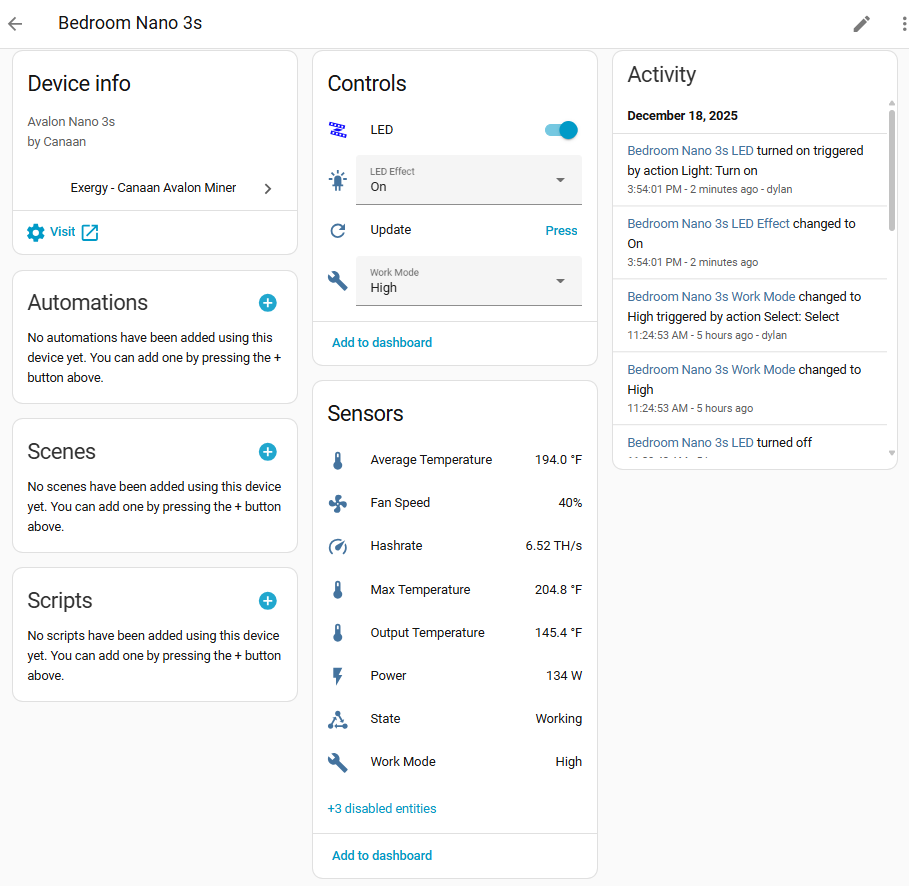
Once both are complete, your Nano 3s will appear in Home Assistant with the sensors and controls below.
Specifications
| Spec | Value |
|---|---|
| Hashrate | ~6 TH/s (varies by mode) |
| Power | ~150W |
| Heat Output | ~500 BTU/hr |
| Noise Level | ~40 dB |
| Dimensions | 150 x 100 x 100mm |
| Weight | ~1 kg |
Work Modes
The Nano 3s supports three operating modes:
High
- Maximum performance
- Standard fan operation
- Highest heat output
Mid
- Balanced performance
- Standard operation
Low
- Reduced noise
- Lower fan speeds
- Reduced hashrate
Home Assistant Entities
Sensors
| Sensor | Entity Example | Description |
|---|---|---|
| Temperature | sensor.avalon_nano_3s_temperature | Device temperature |
| Hashrate | sensor.avalon_nano_3s_hashrate | Current TH/s |
| Power | sensor.avalon_nano_3s_power | Current wattage |
| Device State | sensor.avalon_nano_3s_state | Operating status |
| WiFi Signal | sensor.avalon_nano_3s_wifi_signal | WiFi signal strength (disabled by default) |
Note: The WiFi Signal sensor is disabled by default. Enable it via Settings > Devices & Services > Exergy Canaan > [device] > Entities and click the disabled entity to enable.
Controls
| Control | Entity Example | Options |
|---|---|---|
| Work Mode | select.avalon_nano_3s_work_mode | High, Medium, Low |
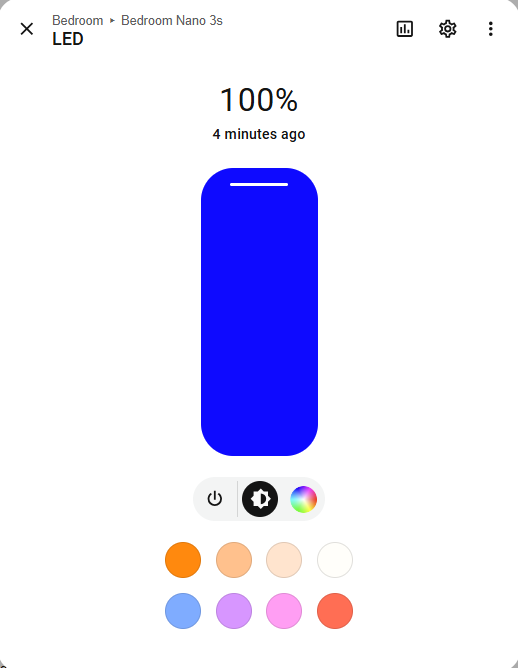
| Light Control | light.avalon_nano_3s_led | LED color selection |
| Light Effects | light.avalon_nano_3s_led_effect | Off, On, Flash, Breath, Loop |
| Reboot | button.avalon_nano_3s_reboot | Trigger reboot |
Note: The Nano 3s API doesn’t support power on/off control. We recommend pairing it with a smart outlet (WiFi or Zigbee) if you need remote power control.
Heating Capacity
The Nano 3s produces approximately 500 BTU/hr, similar to a small personal space heater.
Suitable for:
- Desktop/workspace warming
- Small enclosed spaces
- Supplemental heat source
- Learning/educational setups
Not suitable for:
- Room heating (output too low)
- Primary heating source
Use Cases
Personal Space Heater
- Place under desk or near workspace
- Low noise suitable for office environment
- Warms immediate area
Entry-Level Mining
- Low power requirements (standard outlet)
- Quiet operation
- Learn bitcoin mining basics
Multiple Unit Setups
- Combine several Nano units for distributed heating
- Each unit independently controlled
Electrical Requirements
The Nano 3s has minimal power requirements:
- Standard 120V outlet
- ~1.5A draw
- No dedicated circuit needed
- Can share circuit with other devices
What’s Next?
Add Power Control
The Nano 3s API doesn’t support power on/off. To enable automation, pair with a smart outlet (WiFi or Zigbee) and use the outlet switch in place of a miner power switch in automations.
Automate Your Miner
- Time-of-Use Control - Schedule around electricity rates or noise preferences
Build a Dashboard
- Space Heater Dashboard - Monitor temperature and mining stats